Signal chain examples: how real setups are built
Every system does four jobs in order: a source supplies music, a DAC converts it, an amplifier strengthens it, and speakers or headphones play it. Members’ 14 setups take seven shapes: phone and wireless headphones, laptop and dongle, headphone stack, compact speakers, vinyl, TV room and separates. Choose the speakers or headphones first, then match sockets at every link.
Updated 11 min read
Who this is for
Anyone planning a system, or rethinking one, who wants to see the usual shapes before choosing boxes. Each shape below comes with a diagram, who it suits, the one decision that matters most in it, and members’ public setups built that way.
It is not a buying guide: the products are members’ choices, unranked and unpriced. Headphone power, choosing a DAC and connecting a turntable each have a guide of their own, listed at the foot of the page.
The four jobs every system does
A source supplies the music: a phone, a computer, a streamer, a disc player or a turntable. A DAC turns digital audio into an analog signal, an amplifier makes that signal strong enough to move a driver, and speakers or headphones turn it into sound. Choosing the source and setting the volume, the preamp’s work, usually happen inside the amplifier. A turntable needs a phono stage where the DAC would be.
What changes from one shape to the next is which jobs share a box. A phone holds a source, a DAC and a small amplifier; wireless headphones hold a DAC, an amplifier and the drivers; active speakers can hold everything after the source. The seven shapes below run from the fewest boxes to the most.
A phone and wireless headphones
For commuting, travel and anyone who wants no cables, the shortest chain has two boxes. The phone sends the music as digital data over Bluetooth, and the headphones hold the DAC, the amplifier and the drivers, so nothing needs matching. A member’s commuting setup is exactly this, an Apple iPhone 17 Pro and a pair of Bose QC45. It is the system most people already own, and the one least often called a system.
Choose the headphones as the whole system: the conversion and the amplification are sealed inside them, and nothing added later can change either.
- Phone or player
The source
- Bluetooth
Digital, over the air
- Wireless headphones
DAC, amplifier and drivers inside


A laptop, a dongle and wired headphones
If you use wired headphones with a laptop, or with a phone that has no headphone socket, this is the usual shape. The computer sends digital audio over USB to a dongle: a DAC and headphone amplifier in one small case on the end of a cable.
Two members use the same dongle, a FiiO KA1, in office setups, one with beyerdynamic DT 1990 Pro and the other with Sennheiser HD 650.
Most headphones need very little from a dongle; high-impedance models are the usual exception. Before buying, check the dongle’s rated output voltage against what yours need; our guide to headphone amplifiers has the figure model by model.
- Laptop or phone
Sends digital audio over USB
- USB dongle
DAC and headphone amplifier in one
- Wired headphones
Plug into the dongle


A desktop headphone stack
This shape suits headphones that want more voltage than a dongle gives. The dongle’s two jobs move into boxes of their own, a DAC and a headphone amplifier joined by line-level cables, with the volume control on the amplifier.
Members’ two examples sit at opposite ends of it. One, named by its member as a dream rather than a system they own, gives each job its own box in front of the HiFiMAN Susvara, the hardest headphone to drive in our amplifier guide. The other leaves the DAC out: a MacBook Pro’s headphone socket feeds a JDS Labs Atom Amp+, so the laptop does the converting.
The choice here is one box or two. A combined DAC and amplifier saves a case, a power supply and a pair of cables, and our guide to DACs covers both kinds. Buy two boxes if you expect to replace one half, or want the DAC’s line outputs to feed speakers as well.
- Computer or streamer
Digital out, usually USB
- DAC
Line-level analog out
- Headphone amplifier
Holds the volume control
- Headphones
Wired, into the amplifier




A compact speaker system
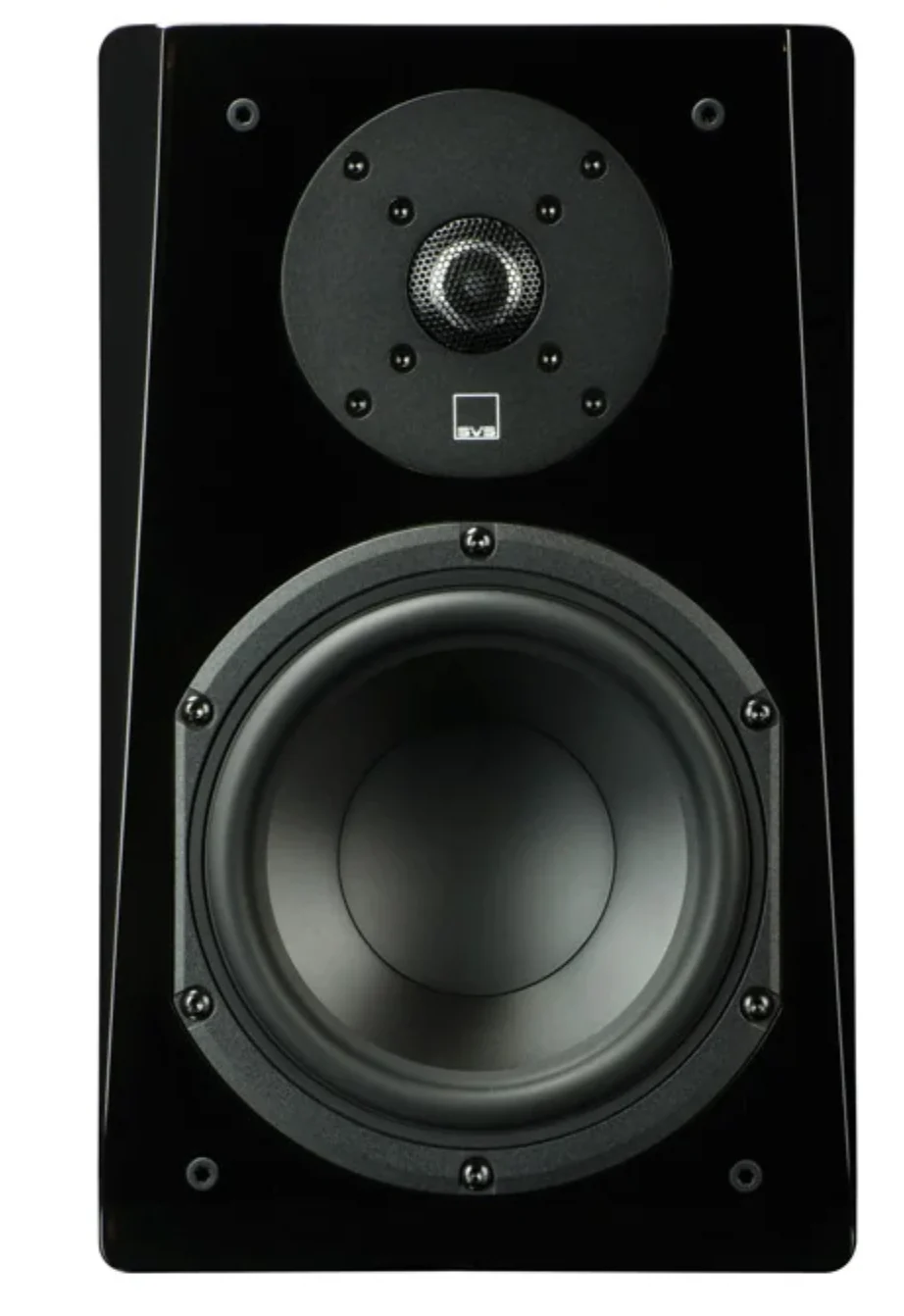
A first speaker system, a second room, a desk or a patio usually needs only a source, an integrated amplifier and a pair of passive speakers on speaker wire. Many small amplifiers now include Bluetooth, a DAC or streaming, so a phone can be the whole front end. Active speakers, with the amplifier inside the cabinet, save a box and the speaker wire, though no public setup on the site uses them yet.
Members feed the amplifier three ways. A member’s suggested student system, close to what they have on their patio, takes a phone over Bluetooth or any source on the RCA input of a Fosi Audio BT20A Pro. A garage system sends an iPhone’s music over Bluetooth to a Yamaha R-N602 stereo receiver. A living room gives its Raspberry Pi 4B and Google TV Streamer 4k a DAC each, and a LiNKFOR CX400 picks which one reaches the amplifier.
Before choosing the amplifier, list everything you will plug in, such as a phone, a TV, a turntable or a computer, and check that it has an input for each. One missing on the first day means another box later.
- Phone or streamer
Bluetooth, USB or a line cable
- Integrated amplifier
Often with Bluetooth or a DAC inside
- Passive speakers
Speaker wire from the amplifier


A vinyl system
Anyone whose main source is records swaps the digital front end for a turntable, and a phono stage takes the DAC’s place. It raises the cartridge’s very small signal and undoes the tone balance records are cut with. Our vinyl guide sets out the four arrangements.
One member’s Rega Planar 3, which our catalog lists without a built-in phono stage, feeds a separate Rega Fono MM MK5 on its way to a Marantz MODEL 40n amplifier. The Marantz has a phono input of its own, so the separate stage there is a choice, not a necessity. Another member relies on the stage built into an Audio-Technica AT-LP120XBT-USB.
Check all three places a phono stage can sit, the turntable, the amplifier and a box of its own, and make sure exactly one of them is working.
- Turntable
The cartridge reads the groove
- Phono stage
In the turntable, the amplifier or its own box
- Amplifier
Any line input, unless it holds the stage
- Speakers
Speaker wire from the amplifier


A living room with a TV
When a room is used for films as much as for music, the TV joins the system through an AV receiver. Streaming boxes and disc players connect to it by HDMI, and it decodes surround sound, passes the picture to the TV and powers the speakers. A subwoofer with its own amplifier takes the lowest bass over a line cable.
One member’s lounge runs a Denon AVC-X3800H that reaches two sets of speakers through a TEC TC-7212. A member’s planned home theater, the largest setup on the site at 17 pieces, stretches the shape to 11 speakers and two subwoofers, with the receiver’s pre-outs feeding a Buckeye PURIFI 1ET6525SA 3-Channel power amplifier for the front three.
Pre-outs let a power amplifier take over some channels later, but the number to settle first is how many speakers the room will take, because that sets how many channels the receiver needs.
- Streaming box or disc player
HDMI into the receiver
- AV receiver
Decodes surround, passes video, sets volume
- Speakers and subwoofer
Speaker wire to each speaker, a line cable to the subwoofer


A separates system
Separates suit large or demanding speakers and anyone who wants to change one part at a time, which some count as the point of the exercise and others as the risk. Each job gets a box of its own: a streamer, a DAC, a preamp and power amplifiers.
Each of the two member systems gives every speaker its own power amplifier, with balanced XLR cables from the DAC onward, and they part ways at the volume control. One uses a Pass Labs XP-12 preamp ahead of two Pass Labs XA60.8 monoblocks. In the other, a Benchmark HPA4 headphone amplifier sets the volume from its preamp outputs, ahead of two Benchmark AHB2 power amplifiers.
What to settle is where the volume is set. If every source is digital, a DAC with a volume control or a headphone amplifier with preamp outputs can do the preamp’s job and save a box. A turntable or another analog source is what makes a separate preamp earn its place.
- Streamer
Digital out, by USB or coaxial
- DAC
Line-level analog out
- Preamp
Chooses the source, sets the volume
- Power amplifiers
One per speaker in both member setups
- Speakers
Speaker wire from each amplifier


How many boxes members’ chains use
Between two and five boxes stand in line from the first piece of equipment to the speaker or headphone. Five of the 14 setups end in headphones and nine in speakers.
The largest system is not the longest. The planned home theater has 17 pieces but only four in line, because its extra speakers, subwoofers and amplifier hang side by side off the receiver. The two separates systems reach five by giving every job a box, and the compact system with a DAC for each source reaches five through the switch in front of its amplifier. A subwoofer, a second pair of speakers or an amplifier per channel makes a system wider, not longer.
Boxes in line from source to speaker or headphone, 14 member setups
- Two boxes3 setups
- Three boxes4 setups
- Four boxes4 setups
- Five boxes3 setups
Common wiring mistakes
Two volume controls in a row. When a laptop’s headphone socket or a DAC with a volume knob feeds an amplifier with a knob of its own, set the first high, or to its fixed line-level setting, and adjust only the second. Done the other way round, the amplifier raises the source’s noise along with a weakened signal. Start with the amplifier at minimum before raising the first control.
An analog cable where a digital one fits. Connect a computer or streamer to a separate DAC by USB, coaxial or optical, so the conversion happens once, in the DAC you chose. Run the streamer’s analog output to the amplifier instead and the DAC sits idle. All six links from a computer or streamer to a DAC in the member setups are digital, five by USB and one by coaxial.
Two phono stages, or none. Two sound loud and distorted; none sounds faint and thin. Our vinyl guide shows how to tell which you have.
A subwoofer crossed over twice. With an AV receiver, its bass management decides what goes to the subwoofer, so set the subwoofer’s own crossover to LFE or bypass, or failing that to its highest setting. Two stacked filters can leave a dip around the crossover, where the subwoofer hands over to the speakers. With a stereo amplifier the subwoofer’s dial is the only crossover; set it near where the main speakers fade.
What matters and what does not
The order of the jobs matters, and the number of boxes does not. A two-box chain and a five-box chain do the same four things; more boxes buy the freedom to change one part, not better sound by themselves.
The speakers or headphones, and with speakers the room, change the sound more than anything in front of them. Plan those first.
Sockets matter more than most specifications: every link needs a matching output and input, and a missing one costs a box or an adapter. Balanced connections earn their place on long cable runs and between separates; across a desk they rarely change anything. Whether competent DACs, amplifiers and cables sound different beyond that is argued, and we take no side in an argument that has outlived most of the products in it.
How we chose the examples
We read all 24 public signal chains on the site in November 2026. We left out the eight photo posts, which show gear without connecting it, and two setups that list gear but draw no connections, since the order would have been our guess. The other 14, every public setup with at least two pieces of equipment linked, all appear above, once each.
Three of the 14 are not systems their members say they own, and we say so where they appear: one is marked as planned, one is named as a dream setup, and one describes what its member would build as a student. We name no members.
We sorted the 14 by what the source is, which boxes do the converting and amplifying, and what sits at the end. Seven shapes cover them all.
For the chart we counted the equipment on the longest path from the first piece to a speaker or headphone, as each member drew it. Streaming services and furniture are not counted. One setup draws its dongle and headphones but leaves the laptop to its description, so it counts two where the real chain has three.
A setup here shows that someone built or planned it, not that it sounds better than another. We give no prices. As members share more setups, we will add examples, and shapes.
Common questions
What order do audio components go in?
Source, then DAC, then amplifier, then speakers or headphones. A turntable takes a phono stage in place of the DAC. A separate preamp, where there is one, goes between the DAC and the power amplifier. A subwoofer sits beside the main speakers, fed from a line or subwoofer output, not after them. When one box does several jobs, the order inside it is the same.
How do I connect a TV to a stereo system?
Run the TV’s HDMI ARC or optical output into an amplifier, receiver or DAC with the matching input. With HDMI ARC the TV remote usually sets the volume; with optical, the stereo does. If the stereo has only analog inputs, put a small DAC after the TV’s optical output, or use the TV’s analog output if it has one. Then turn off the TV’s speakers and set its digital output to PCM.
Can I add a subwoofer to a stereo amplifier?
Yes. Use the amplifier’s subwoofer output or pre-out if it has one. If not, many subwoofers have a high-level input that takes speaker wire from the amplifier’s speaker terminals and uses only the bass. Set the subwoofer’s crossover near where your main speakers fade, then its level, by ear or with a sound level meter. Placement changes the result more than either setting, so try a few spots.
How do I use headphones and speakers on one system?
Put a headphone output where the volume is set. An integrated amplifier or receiver with a headphone socket does it in one box, and usually mutes the speakers when headphones go in. A DAC or headphone amplifier with preamp outputs can drive headphones and also feed active speakers or a power amplifier, as in one member’s separates system. Check whether those outputs switch off when headphones are plugged in.